

Gradient Generator
The gradient generator creates smooth, beautiful color-blend art and backgrounds from a simple text description. Choose from 30+ AI models, specify your colors, mood, and style, then generate in seconds. Free daily credits with no download or design software required.
No payment or credit card required.

As Seen In









Color control, your way
Free AI Gradient Background Generator
Describe any color pairing, direction, or mood and let NightCafe's 30+ models interpret it differently. Nano Banana, Flux, GPT Image, and Seedream each handle color blending and edge softness in their own way, so you can compare results and choose the gradient background that feels exactly right for your project.
How to Use the Gradient Generator
Step 1
Open and start
No account needed. Launch the gradient generator in your browser and start creating right away with free daily credits.
Step 2
Describe your gradient
Type your colors, blend direction, and mood — for example: 'soft gradient from sage green to dusty rose with a grainy texture.'
Step 3
Generate, refine, and share
Switch models or adjust your prompt to fine-tune the blend, then save your gradient or share it with the NightCafe community.
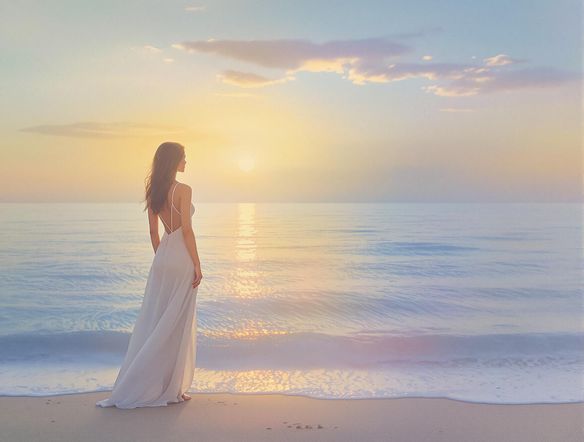
Textures and wallpapers
Make Custom Gradient Art and Textures Online
Go beyond flat color blends by adding grain, light leaks, or painterly texture to your gradient. Generate phone wallpapers, desktop backgrounds, album cover gradients, or design-ready assets. Use image-to-image to upload a reference palette and shift it into a fresh gradient composition while keeping the color relationships you love.
Need inspiration?
Check out some of the top creations made by the NightCafe community.


Related Tools

Frame Generator
The frame generator creates decorative borders, ornate picture frames, and custom digital frame designs from a text prompt in seconds. Choose from 30+ AI models including Flux, GPT Image, Seedream and more to dial in any style, from gilded vintage to clean modern borders. Free daily credits, no download required.

Single Line Drawing Generator
The single line drawing generator creates minimalist continuous-line art from a text description in seconds. Choose from 30+ AI models, describe your subject, and refine the unbroken contour style until it looks exactly right. Free daily credits included, no download or account required to start.

App Icon Generator
The app icon generator creates sharp, eye-catching square icons for any app concept in seconds. Describe your app's style and purpose, choose from 30+ AI models, and get polished results ready for your App Store or Google Play listing. Free daily credits, no download required.

Wave Generator
The wave generator creates stunning ocean, abstract, and decorative wave artwork from a text description in seconds. Choose from 30+ AI models including Flux, GPT Image, and Seedream to nail the exact style you want, from dramatic storm swells to serene Japanese woodblock patterns. Free daily credits, no download required.
Frequently Asked Questions
Common questions about the AI gradient generator on NightCafe